STEP 1
Snap the homework
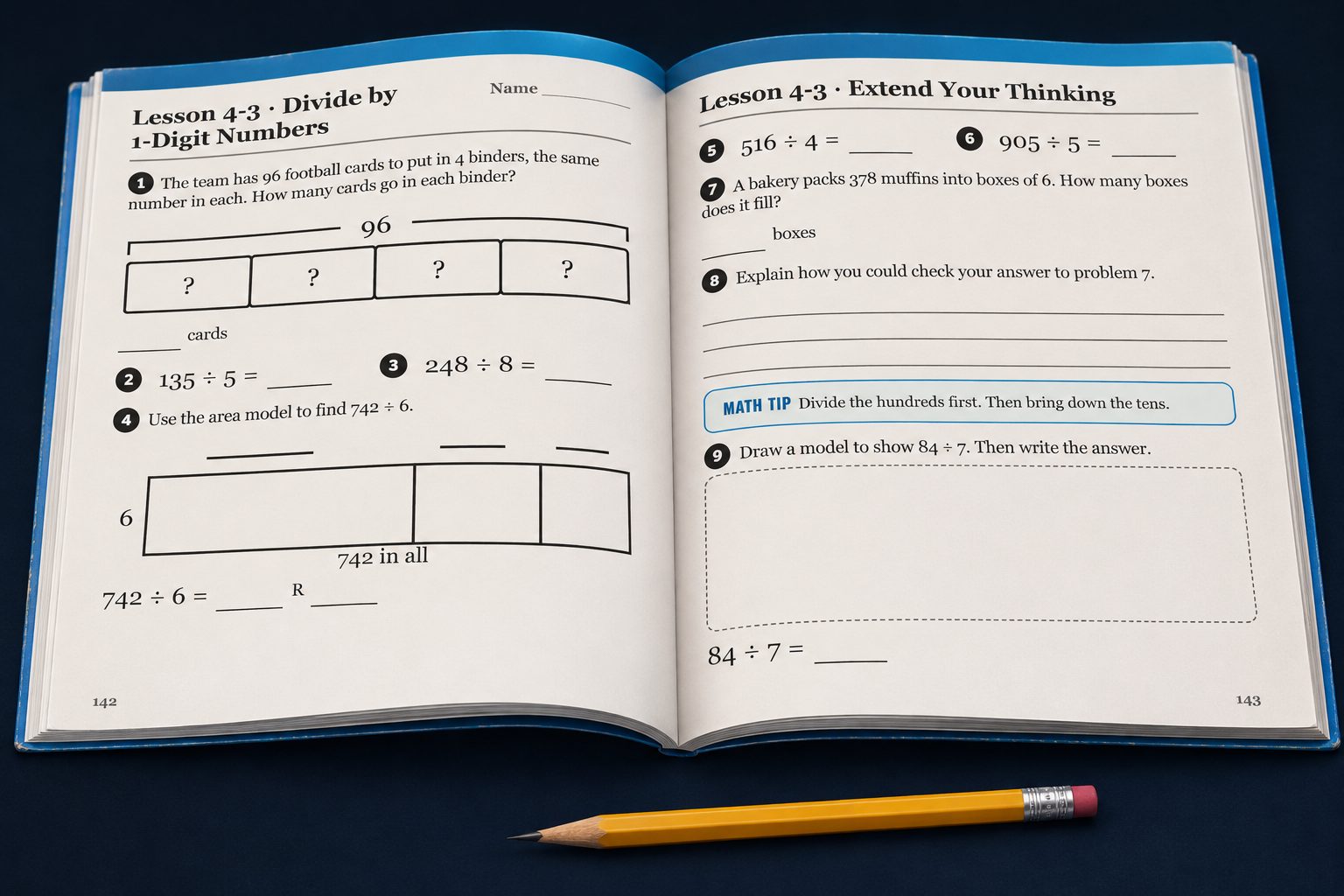
Take a photo of every page from tonight, right in the workbook or on a loose sheet. A parent or the student can do it.
Snap tonight's homework. Jot turns it into clean worksheets on the iPad, and the moment your child gets stuck, it builds a short lesson for exactly what's missing, at their pace. Then it's back to the sheet.
Free during the beta. Families in every grade, K‑5.
No course to march through. Your child does the work their teacher sent home, and gets taught only what they're missing.
Take a photo of every page from tonight, right in the workbook or on a loose sheet. A parent or the student can do it.
Each page comes back clean and ready on the iPad, with the right tool for each question: number lines, base-ten blocks, the Pencil.
Stuck? Tap Jot and talk. Jot asks the next good question and points right at the sheet. It never just hands over the answer.
If a skill is missing, Jot builds a few minutes of lesson just for it, then sends your child back to finish the sheet.
Jot learns what each student knows, how they learn and what they love. When they get stuck, it assembles a lesson from interactive pieces, in their world. Pick a student to see it.
Every problem tells Jot something. A skill your child already owns gets a couple of quick checks and they move on. A skill that's shaky gets more practice, broken into the small steps they write on paper.
Your child taps Jot and just talks. Jot sees the sheet they're on, answers right away, and walks them through it one question at a time, so the thinking stays theirs.
The parent app lives on your phone. Get a short note when homework is done, see where your child struggled, and talk to Jot yourself about what to work on next.
What they finished, how long it took, and what Jot taught.
"She's nervous about fractions." Jot plans around it with you.
Just homework, homework plus a focus, or a full plan. You pick and change it anytime.
Every finished sheet is saved, with what they did alone and where they had help.
Big, clear sheets they write on with the Pencil. Interactive 3D lessons when a picture helps. Jot is a robot, not a cartoon owl, so 5th graders don't feel babied.
Sign up, give consent, get updates and talk with Jot. One account covers every child in the family.
Who needs you today, which skills the class finds hard, and an easy way to assign more practice. Students join with a class code and a parent's approval.
Children under 13 join only through a parent, with consent on record.
Every worksheet's answers are worked out and checked before your child sees the sheet.
Jot teaches. It doesn't do the homework.
We don't sell your child's data or show ads. See and delete it anytime.
We're opening Jot to a small group of families, kindergarten to 5th grade. Tell us about your kids and we'll let you know if there's a spot.
No. Jot is built never to give the answer. It asks the next question, points at the sheet and teaches the missing step. A problem Jot helped with counts as practice, not as learned.
No. It starts with the homework the teacher sent home, so it follows your school's order and methods. You can photograph the table of contents of their math book so Jot knows what's coming.
The beta is math for kindergarten to 5th grade, because that's where we can make it excellent first. Reading and more subjects are coming, then more grades.
A few minutes, built from pieces: a quick warm-up, an interactive 3D scene, small-step practice written the way it looks on paper, then back to the problem they were on. It's themed to what your child loves when that helps.
A phone to take photos, and ideally an iPad with an Apple Pencil for your child. Parents use their phone for updates and talking with Jot.
Lessons built for your child, at their pace, with help the moment they ask.
Apply for the beta